



Easing neck and shoulder tension at a desk: adjusting your setup and changing position
The neck and shoulders usually complain when the body holds one position too long, the screen sits off to the side, the keyboard is too far away or the shoulders stay lifted. There is no “perfect posture” to hold motionless all day; the aim is a more neutral arrangement and letting the body change position often.
Neck pain can involve muscles, joints, nerves and many other conditions. Adjusting your own desk suits mild discomfort caused by posture; it does not replace assessment when pain follows an injury, radiates into the arm, comes with weakness or numbness, fever, a severe headache or neurological symptoms.
Quick facts
- Screen: directly in front of you, with the top edge level with or below eye height.
- Keyboard and mouse: close to the body, with the wrists relatively straight.
- Shoulders: relaxed, with the forearms suitably supported.
- Feet: flat on the floor or on a firm footrest.
- Work rhythm: change position and take short walks at regular intervals.
Start with what is hardest to change
If the desk height is fixed, adjust the chair so your elbows sit near keyboard height, then add a footrest if your feet do not reach the floor. Your back needs support, and the chair should come close enough to the desk that you are not reaching. Do not buy a pile of accessories before working out whether the problem is height, distance or simply where you put your devices.
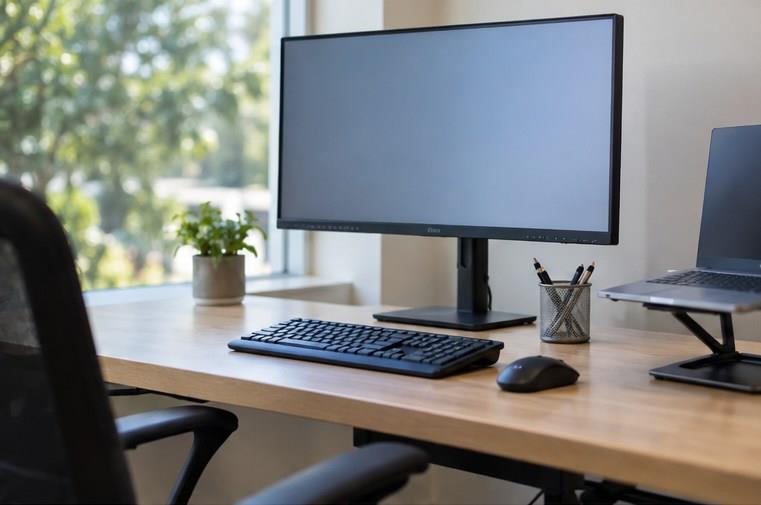
The screen follows your line of sight
The main screen belongs directly in front of you so the head, neck and trunk are not turned for long stretches. The top edge usually sits level with or slightly below eye height; anyone wearing varifocals may need it lower. The distance should let you read without craning, and it is better to increase the text size than to bring your face close to the screen.

Keyboard, mouse and shoulders
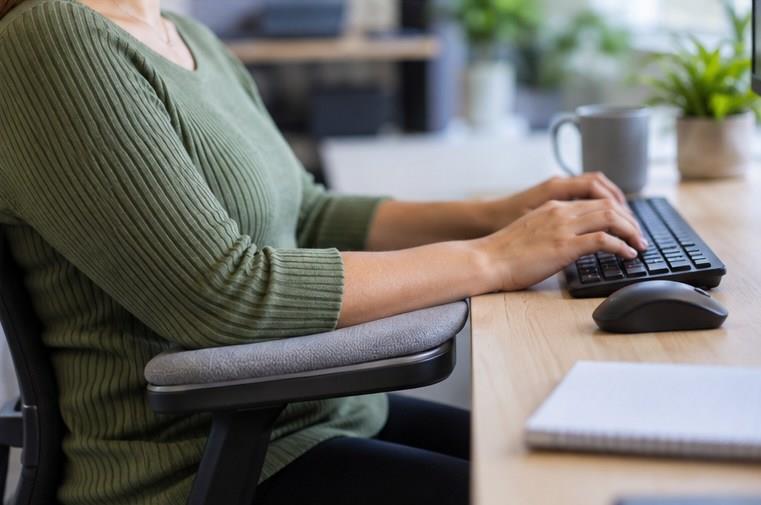
Put the keyboard squarely in front of you and the mouse right beside it, so your elbows stay near your body. A surface that is too high lifts the shoulders; too low and the wrists bend. An armrest helps only when it supports the forearm without stopping the chair from coming close; a hard desk edge pressing into the forearm for long periods can become uncomfortable.
A laptop needs its roles separated
A laptop placed low suits the hands at the keyboard but forces the neck to bend; raising the screen sends the hands up too high. For long sessions, a stand with a separate keyboard and mouse resolves that conflict. When travelling without the extra equipment, favour short working sessions and change position often.
Movement matters more than holding a shape
Even a good setup does not remove the effect of sitting still. Shift how you lean, stand up, walk to get water and do a few gentle movements within a pain-free range. A timer can help at first, but it is better tied to the points where you switch tasks, so a short break does not turn into an alert you learn to ignore.
Principles for applying this safely
Changes to how you live should start small, build gradually and suit your age, fitness and any existing conditions. Mild tension can appear when a habit changes, but increasing pain, dizziness, breathlessness, weakness or numbness, chest pain or any unusual symptom is a reason to stop and seek medical advice.
This article offers general information; it does not diagnose anything and does not replace a doctor. Anyone who is pregnant, has recently had surgery, has a heart, lung, muscle, bone or joint condition, or takes medication that affects sleep or blood sugar should ask whoever manages their treatment before making any significant change.
Common misunderstandings
Sitting bolt upright at 90 degrees all day is best
The body needs several supported positions; staying motionless in one shape can still leave you aching.
Neck pain just needs a good hard stretch
Overstretching can make the pain worse; look for the cause in your setup and have any neurological signs assessed.
Practical suggestions and things to try
- Move the main screen directly in front of you.
- Increase the text size before craning your neck.
- Keep the mouse close to the keyboard.
- Use a firm footrest if you need one.
- Change position each time you switch tasks.
- Avoid forcing or cracking your neck.
- See a doctor if the pain radiates, if there is weakness or numbness, or after an injury.
Observation checklist
- What context, season and audience is being talked about?
- Which details are facts, and which are impressions or personal choices?
- How do the ingredients, tools or setting affect the outcome?
- Are there any safety, allergy, cost or privacy risks to check?
- What small thing could you try today and review later?
Important note
Pain after an accident, chest pain, fever, a stiff neck, a severe headache, loss of balance, or weakness or numbness in the limbs all need prompt medical assessment.
Conclusion
A comfortable workstation usually comes from a few small adjustments: the screen facing the right way, the devices within easy reach, the feet supported and a reason for the body to stand up. Change one thing at a time, watch for a few days, and only then decide whether to buy more equipment.



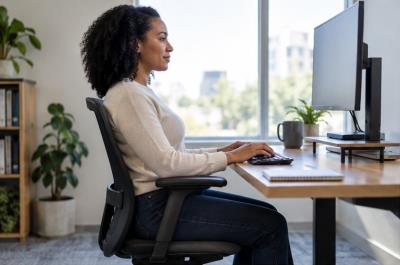 Easing neck and shoulder tension at a desk: adjusting your setup and changing position
 A city is clean and safe because of people who start their working day before we do
 One phone-free hour a day: a small gap for returning to real life
 Small rituals that keep a family close inside a busy schedule
 Morning light and your sleep rhythm: building a steadier wake-up schedule
 Repair instead of replacing in a hurry: a small habit for a sturdier home and less waste
 A happy family is not a family that never argues
 Do not only ask your child what they scored — ask whether they were happy today
Đăng nhập để bình luận: / Sign in to comment: